Creating custom Data Sources to be used on specified forms, by specified users (DataSource)
Category: Data & Records Section: Articles Last Updated: 2024-08-22
Create data sets available to specific forms and specific teams. Unlike TenantData, DataSources offer granular access control.
Comparison
| Feature | MyUserData | TenantData | DataSource |
|---|---|---|---|
| Scope | Per user | All users | Configurable |
| Forms | All forms | All forms | Specific forms |
| Team filtering | No | No | Yes |
Step 1: Create the DataSource Form
Create a new form with a descriptive name (e.g., DataSource:GoverningLaw).
Required Fields
| Field Name | Type | Configuration |
|---|---|---|
RecordKey | Text | Default: DataSource:YourKey |
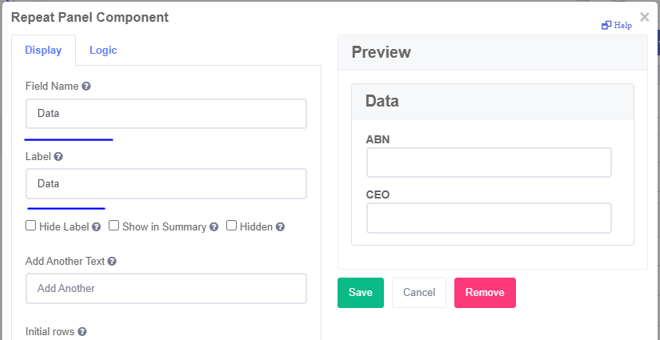
Data | Repeat | Maximum rows: 1 |
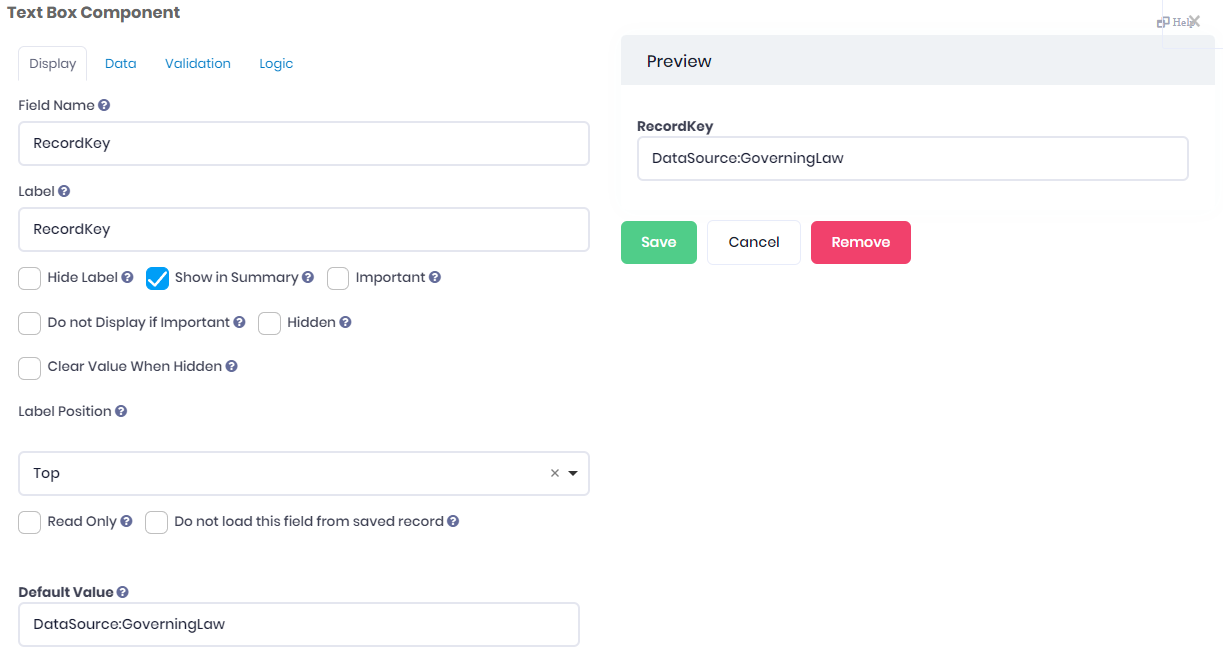
Replace YourKey with a descriptive identifier (e.g., GoverningLaw, ProductList).
Inside the Data Repeat
Add fields for your data values.
TIP
Name your form after the RecordKey for easy identification.
Step 2: Create the Record
- Click Save and Open
- Fill in your data values
- Leave RecordKey as configured (or add team filter)
- Click Submit
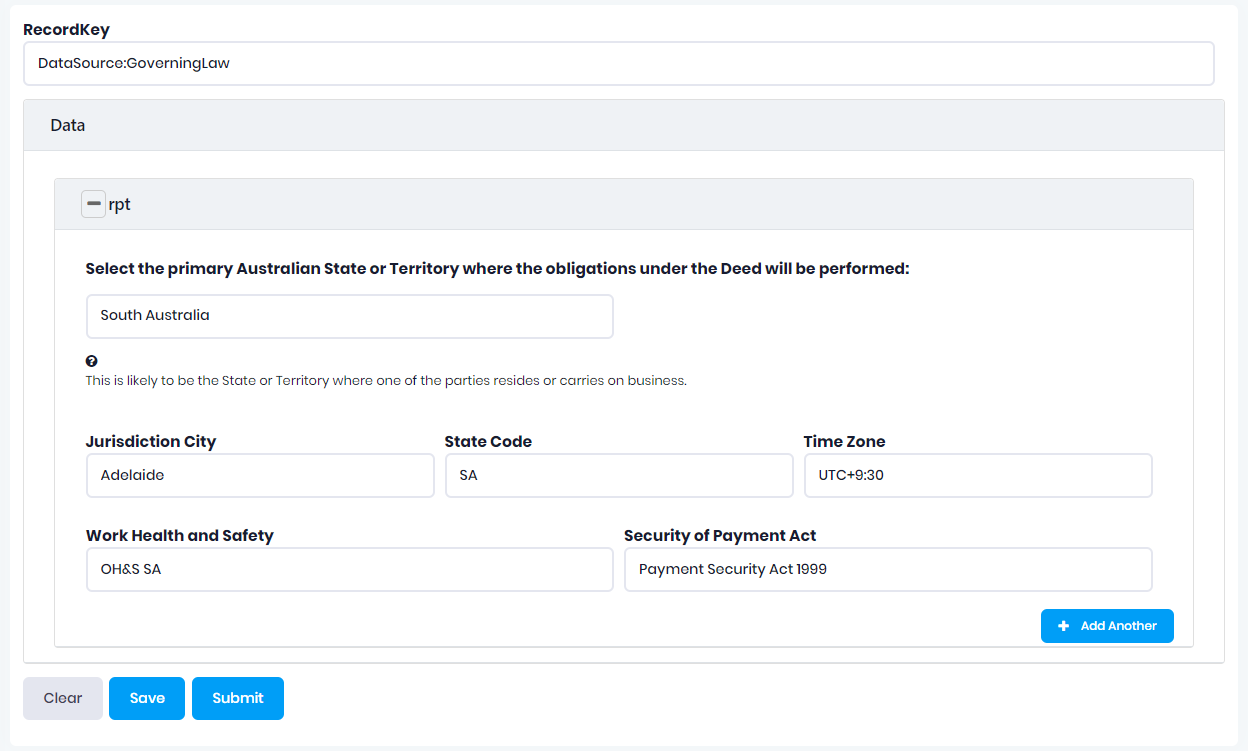
Editing a DataSource
- Go to Records
- Find your DataSource record
- Click the form icon

- Update values and save
Linking Forms to DataSources
Add a hidden text field (Source Field) to forms that need the data:
| Field Property | Value |
|---|---|
| Field Name | Descriptive (e.g., GovLaw_source) |
| Default Value | DataSource:YourKey |
| Hidden | Yes |
For multiple DataSources, add multiple Source Fields.
Team-Based Access Control
Option 1: Filter at Source Level
Different data for different teams using the same Source Field.
RecordKey format: DataSource:Key:TeamName
Example: DataSource:GoverningLaw:AdelaideTeam
| Team | RecordKey |
|---|---|
| Adelaide Team | DataSource:GoverningLaw:AdelaideTeam |
| Sydney Team | DataSource:GoverningLaw:SydneyTeam |
Create separate DataSource records for each team.
Option 2: Filter at Form Level
Same DataSource, different team access per form.
Source Field format: DataSource:Key:TeamName
Example Source Field default: DataSource:GoverningLaw:AdelaideTeam
| Use Case | Implementation |
|---|---|
| One team, one form | Single Source Field with team filter |
| Multiple teams, one form | Multiple Source Fields, each with team filter |
Accessing the Data
Data loads into Form.data.DataSources:
Form.data.DataSources.YourKey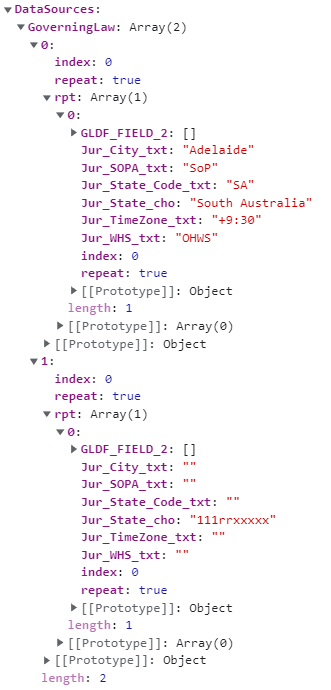
Usage Options
| Method | Description |
|---|---|
| Field Logic | Pull values into form fields |
| Dropdown Source | Use as custom data source for dropdowns |
WARNING
DataSource values cannot be passed directly to workflows. Handle carefully if using in templates.