Webhooks
Category: API & Integration Section: Articles Last Updated: 2024-08-22
In your portal tenancy you can now subscribe to webhook events, the first of these will be App.DocumentGenerated.
As administrators of a tenancy you will be able to configure your own webhook event.
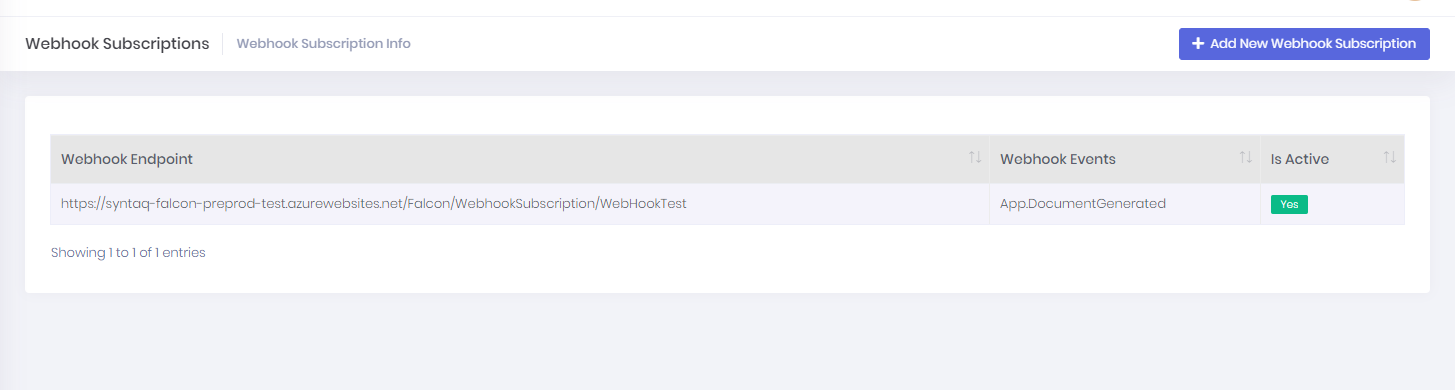
You can click on any row in the table and see details about the subscription event, including the send attempts.
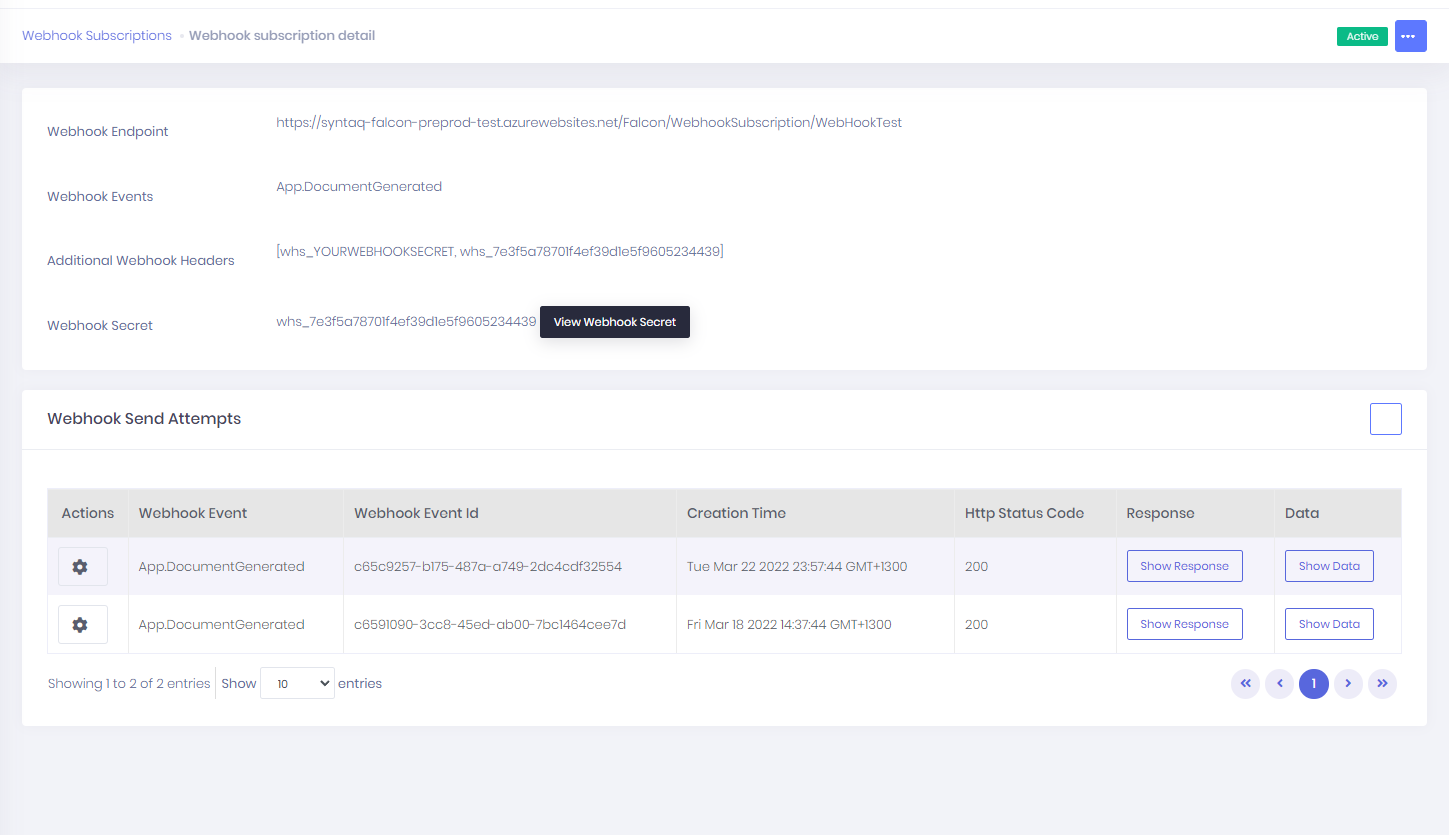
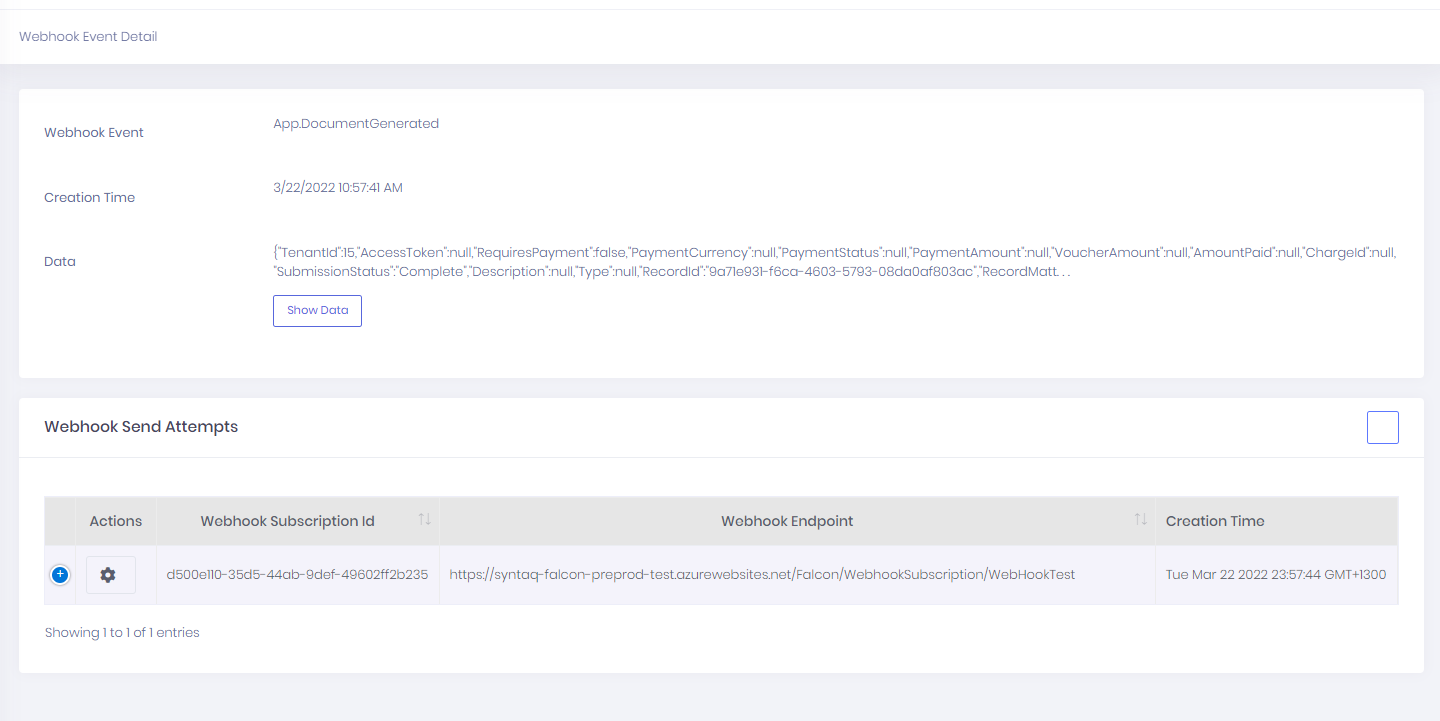
You can also get a detailed summary of each send attempt.
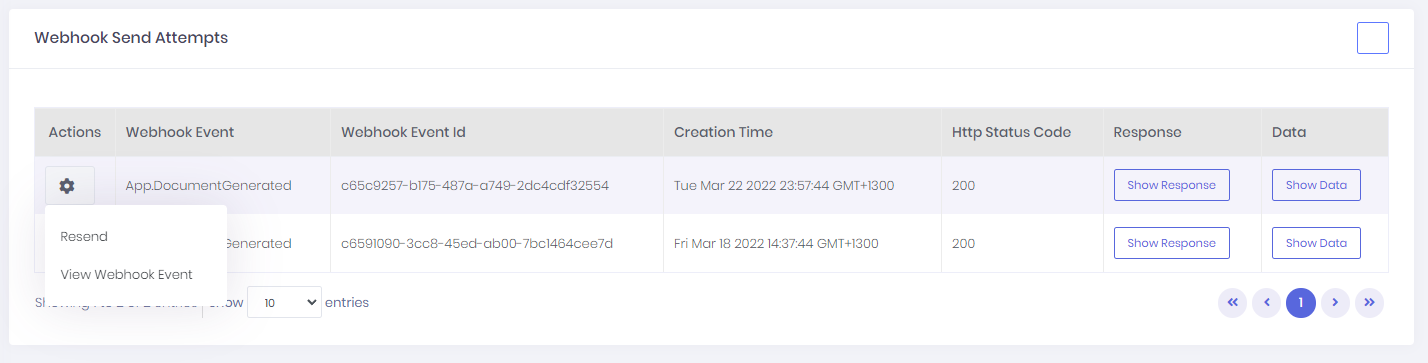
For each event attempt you can resend a webhook with the same parameters by clicking resend.
Configuring your webhook event
To subscribe to a webhook event navigate to Administration > Webhook Subscriptions.
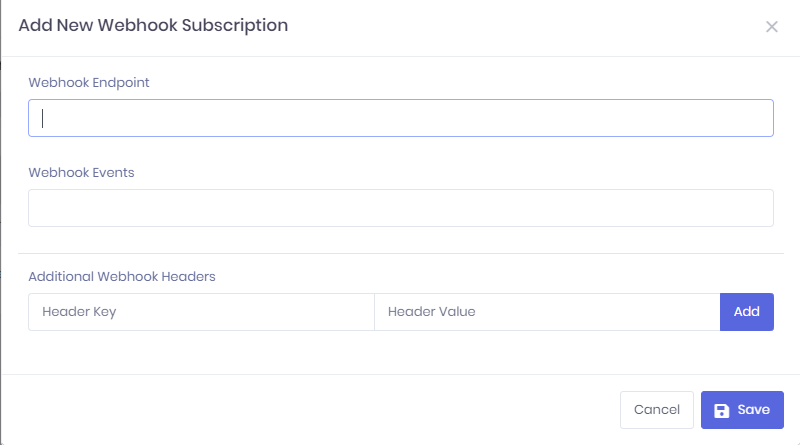
Click on + Add New Webhook Subscription.
Add your webhook Endpoint
Select the Webhook event you want to subscribe to. Currently this is limited to App.DocumentGenerated.
Set the Additional Webhook Headers key and values.
Click Save.
The next step is to decide which forms or apps you want to be notified on.
Establish a trigger event on Forms
Forms
Build Form
Settings > Submission Settings
After Assembly Workflow
Click on "Send webhooks to all subscriptions in this tenant"
Save
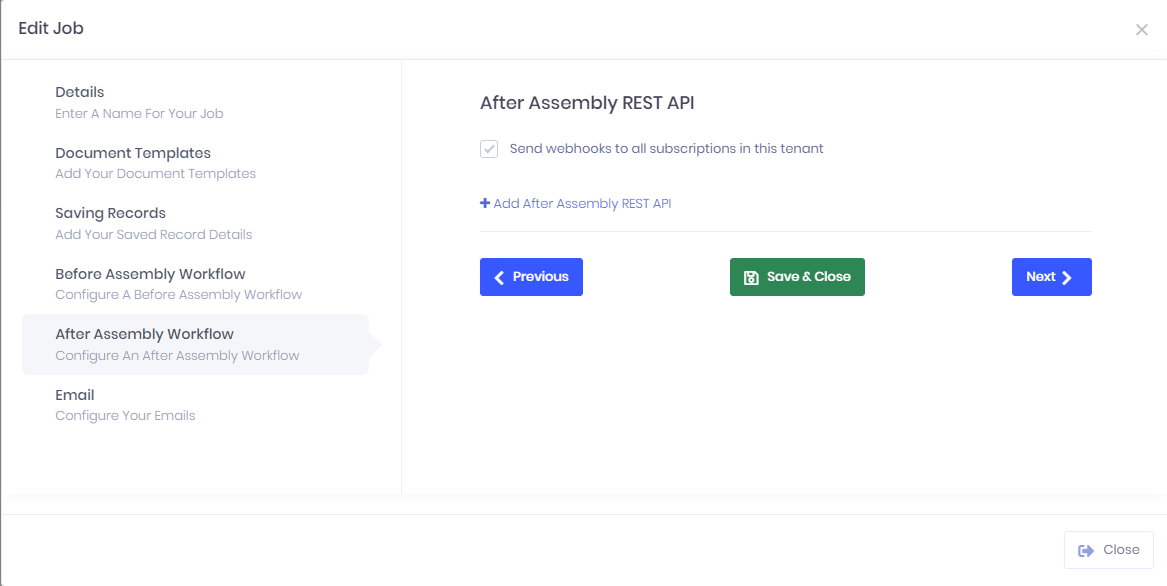
Establish a trigger event on Apps
Apps > Edit >
After Assembly Workflow
Click on "Send webhooks to all subscriptions in this tenant"
Save
Source: Webhooks